> For the complete documentation index, see [llms.txt](https://wiki.spiritshop.com.br/suporte-admin-3.0/llms.txt). Markdown versions of documentation pages are available by appending `.md` to page URLs; this page is available as [Markdown](https://wiki.spiritshop.com.br/suporte-admin-3.0/formas-de-pagamento/itau-pix.md).

# Itaú PIX

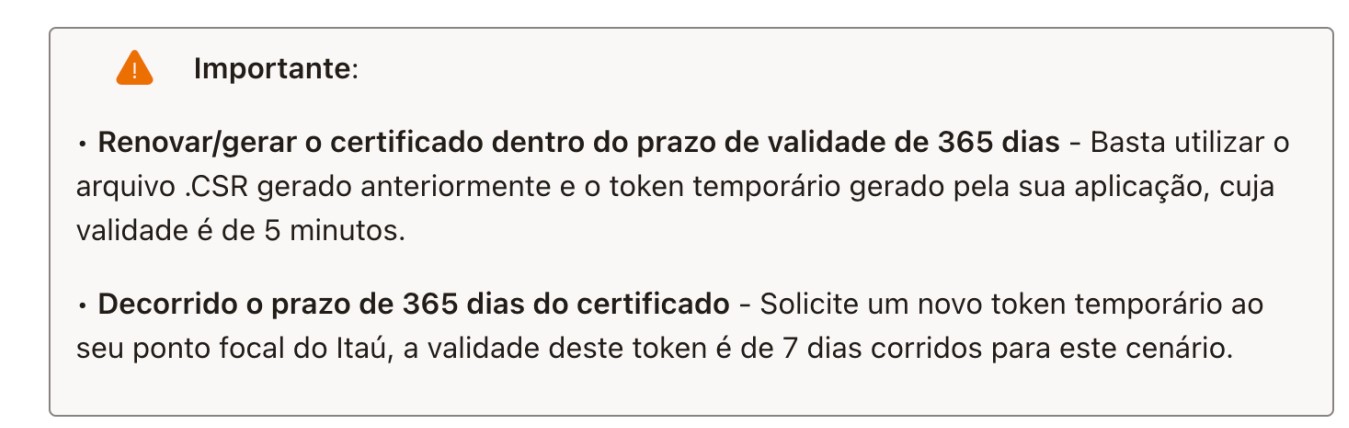
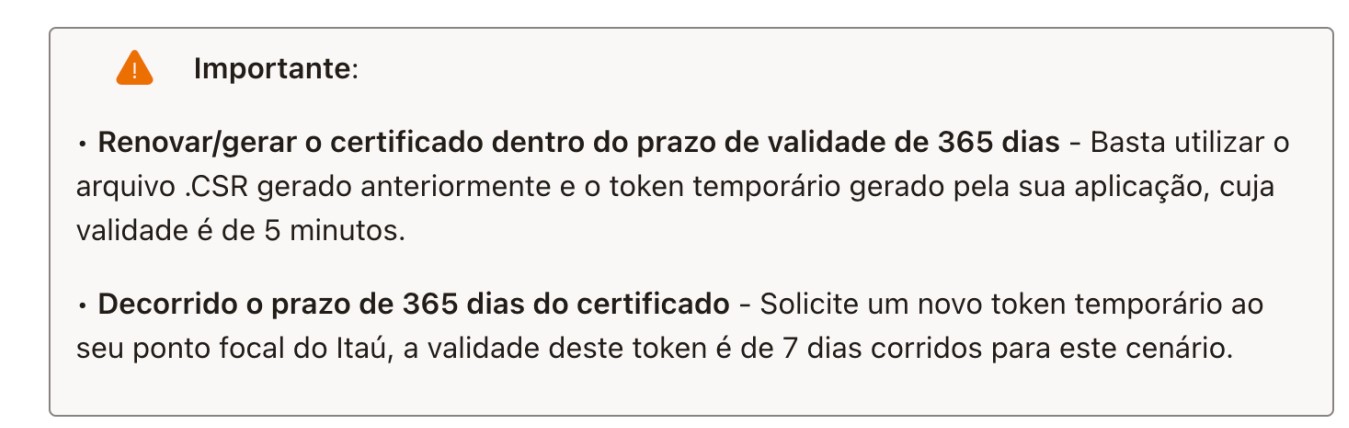
<mark style="background-color:orange;">**( ATENÇÃO )**</mark> <mark style="background-color:orange;"></mark><mark style="background-color:orange;">- Antes de prosseguir, solicite ao seu</mark> <mark style="background-color:orange;"></mark><mark style="background-color:orange;">**gerente do Itaú a ativação do serviço PIX API, credenciais e token do "ambiente de Produção" que será enviado no seu e-mail**</mark><mark style="background-color:orange;">;</mark>

Link API: <https://devportal.itau.com.br/baas/#/catalog/home-product/p/pix>

<figure><img src="https://content.gitbook.com/content/ZkzZVMxLiuvqRO6xv6kx/blobs/ZEO2D7YjJFWILw4QmYtn/Screenshot_2.jpg" alt=""><figcaption></figcaption></figure>

&#x20;<mark style="color:red;background-color:red;">**ATENÇÃO**</mark>. Se já estiver utilizando o novo módulo do [Itau Boleto API](/suporte-admin-3.0/formas-de-pagamento/configurar-o-modulo-itau-boleto-api.md) em produção, **não precisa gerar/solicitar outro token ao Itaú**, você pode utilizar o mesmo **Client ID**, e **Client Secret** do seu módulo [Itau Boleto API](/suporte-admin-3.0/formas-de-pagamento/configurar-o-modulo-itau-boleto-api.md) já existente.

***

( 1 ) - Faça o **Login** no **Admin** de sua Loja;

<figure><img src="https://2105237181-files.gitbook.io/~/files/v0/b/gitbook-x-prod.appspot.com/o/spaces%2FZkzZVMxLiuvqRO6xv6kx%2Fuploads%2FKfkQrdjUP8JdvGzNPD4C%2Fimage.png?alt=media&amp;token=bb2c4eaa-8a19-4192-8010-33de2d2708ba" alt=""><figcaption></figcaption></figure>

&#x20;

( 2 ) - Acesse **( Extensões → Formas de Pagamento );**

<div data-full-width="true"><figure><img src="https://2105237181-files.gitbook.io/~/files/v0/b/gitbook-x-prod.appspot.com/o/spaces%2FZkzZVMxLiuvqRO6xv6kx%2Fuploads%2Fn8erQbASsTYrhWtyidHQ%2Fimage.png?alt=media&amp;token=a2d624a6-ce56-4aaa-9aea-ca8a16e95fe3" alt=""><figcaption></figcaption></figure></div>

&#x20;

( 3 ) - Clique no **módulo Itaú PIX;**

<div data-full-width="true"><figure><img src="https://2105237181-files.gitbook.io/~/files/v0/b/gitbook-x-prod.appspot.com/o/spaces%2FZkzZVMxLiuvqRO6xv6kx%2Fuploads%2F8B77oldGMU8NmH2J8dYd%2Fimage.png?alt=media&amp;token=07ce4df0-a6ab-45c7-826a-f6cacebdca85" alt=""><figcaption></figcaption></figure></div>

( 4 ) - **Configure o Módulo** com suas **Credenciais do Itaú** **(&#x20;*****para mais informações consulte com seu gerente da conta Itaú*****&#x20;)**

<div data-full-width="true"><figure><img src="https://2105237181-files.gitbook.io/~/files/v0/b/gitbook-x-prod.appspot.com/o/spaces%2FZkzZVMxLiuvqRO6xv6kx%2Fuploads%2FCivcfAkAYATkh7yWRanL%2Fimage.png?alt=media&amp;token=7ad100ed-6864-4398-9b43-d207c3c6bfd7" alt=""><figcaption></figcaption></figure></div>

<figure><img src="https://content.gitbook.com/content/ZkzZVMxLiuvqRO6xv6kx/blobs/FGbco2z74XH4JJ4AzPbh/Screenshot_2.jpg" alt=""><figcaption></figcaption></figure>